Administration
This page covers the settings that apply to every feed on the site, and explains exactly when feeds are rebuilt.
Both are found on the feeds page: Jira settings → Apps → Calendar Sync Admin Page.
Global calendar configuration
Click Global calendar configuration beside the Calendar feeds heading.
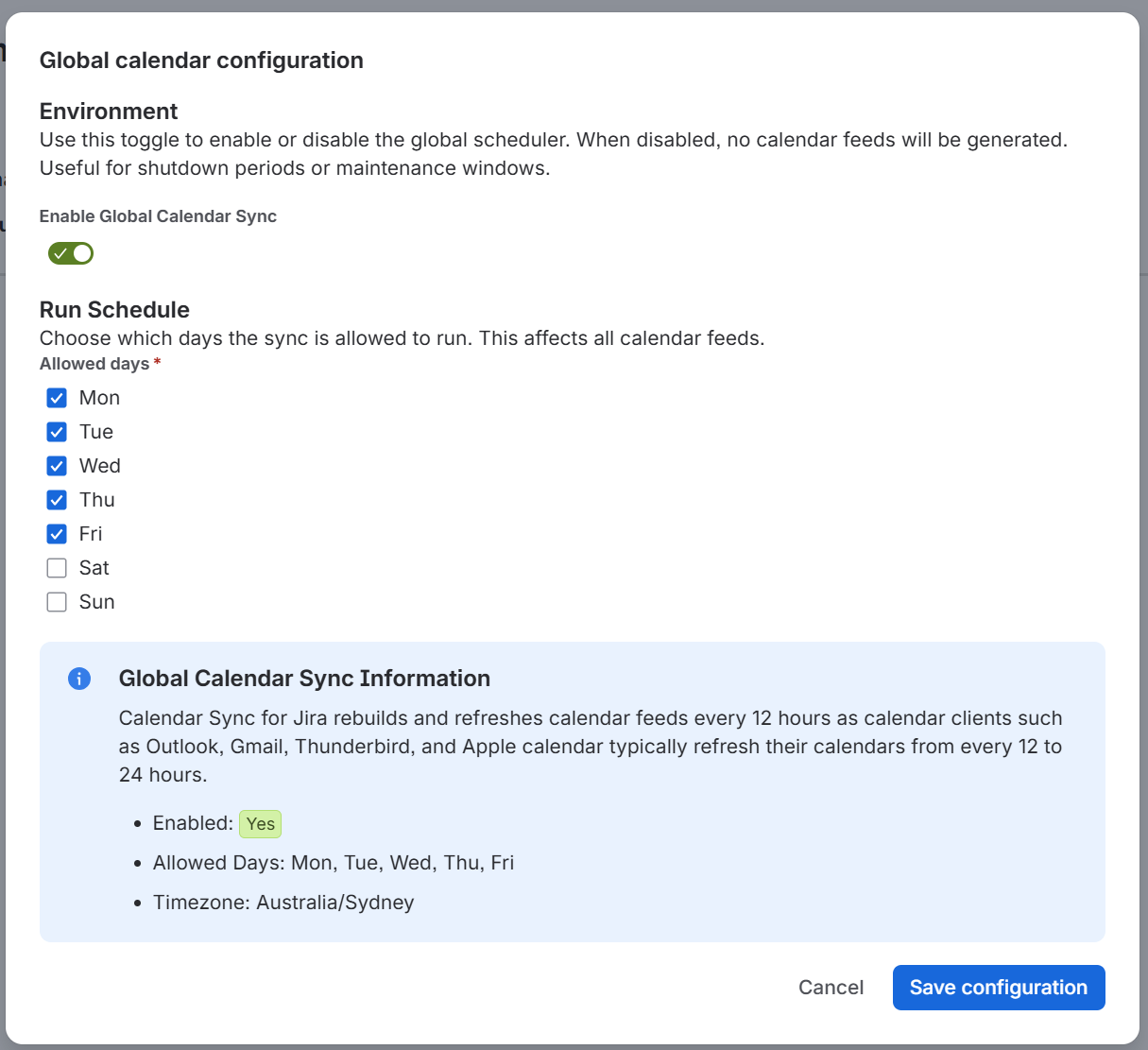
Enable Global Calendar Sync
A single switch that turns feed generation on or off for the whole site. It is on by default.
When it is off:
no feed is rebuilt, regardless of its individual settings
a Scheduler Disabled warning appears at the top of the feeds page
existing calendar URLs keep serving the data from their last successful build, so subscriptions do not break - they simply stop receiving new data
Use it for maintenance windows, shutdown periods, or in a development or test site where you do not want the app doing background work.
Allowed days
Checkboxes for Mon through Sun. The default is Mon, Tue, Wed, Thu, Fri.
Feeds are only rebuilt on the days you select. On any other day, the scheduler wakes up, sees that today is not allowed, and does nothing.
The day is judged in your Jira site's timezone, which is shown in the information panel at the bottom of the dialog along with a summary of the settings you have chosen.
Restricting the allowed days is worth doing if your work items only change during the working week - there is no value in rebuilding a project-deadline calendar on a Sunday.
Click Save configuration to apply, or Cancel to discard.
When feeds are rebuilt
Three things drive a rebuild.
The hourly check. Once an hour, the app looks for feeds whose next refresh time has passed and rebuilds them. This is also where the global settings above are enforced - if sync is disabled, or today is not an allowed day, the check exits without doing anything.
The 12-hour cycle. After a successful rebuild, a feed's next refresh is set to 12 hours later. So under normal running, every feed is rebuilt twice a day.
Saving a feed. Creating a feed, or saving a change to one, queues it for rebuilding straight away. The next hourly check picks it up.
That combination is why the feeds page says:
Newly created feeds may take up to one hour until they are built. Feeds are refreshed every 12 hours.
The Next Refresh column on the feeds page shows when each feed is next due.
Note Immediately after you save a feed, Next Refresh shows a time in the past - that is what "queued now" looks like. It is corrected to a time 12 hours ahead once the rebuild finishes.
Why 12 hours
Calendar applications collect subscribed data on their own schedules, and those are slow - typically somewhere between 12 and 24 hours, and in most cases not something the user can force. Rebuilding more often than the clients collect would not make anyone's calendar more current. See Calendar updates for the per-client figures.
Roadmap note: There is no per-feed "refresh now" button in this release. Saving the feed re-queues it, which is the current way to force a rebuild. A manual refresh control is planned for a future update.
Deleting feeds
Deleting a feed removes its calendar, and its stored events, and any subscription pointing at it stops working. There is no undo, and there is no way to restore a deleted feed's URL - a recreated feed gets a new one.
If you want to temporarily stop a feed without losing it, set its access to 'No one' on the Security tab, or turn off 'Enable Global Calendar Sync' to pause everything.