Valiantys Assessment for Confluence
DATA CENTER
The Valiantys Assessment for Confluence run a thorough assessment of your Data Center instance and based on the number of configuration items, provides a complexity score. This has proven exceedingly useful for customers preparing to migrate.
Installing the app
Log in to the Atlassian Confluence instance as an admin or a system administrator.
Choose Cog > Manage Apps from the menu. The Administration page will display.
Click the Find new app link.
Enter the search text "Valiantys Assessment for Confluence" in the search field. The appropriate app version appears in the search results.
Click the Buy now or Free trial button.
A confirmation message and details appear when the app is installed successfully. Follow the prompts to apply the appropriate license.
Using Valiantys Assessment for Confluence
Once installed you will see a Migration Assessment under the Configuration heading.
Select the link and you will be automatically presented with a summary of your Confluence site.
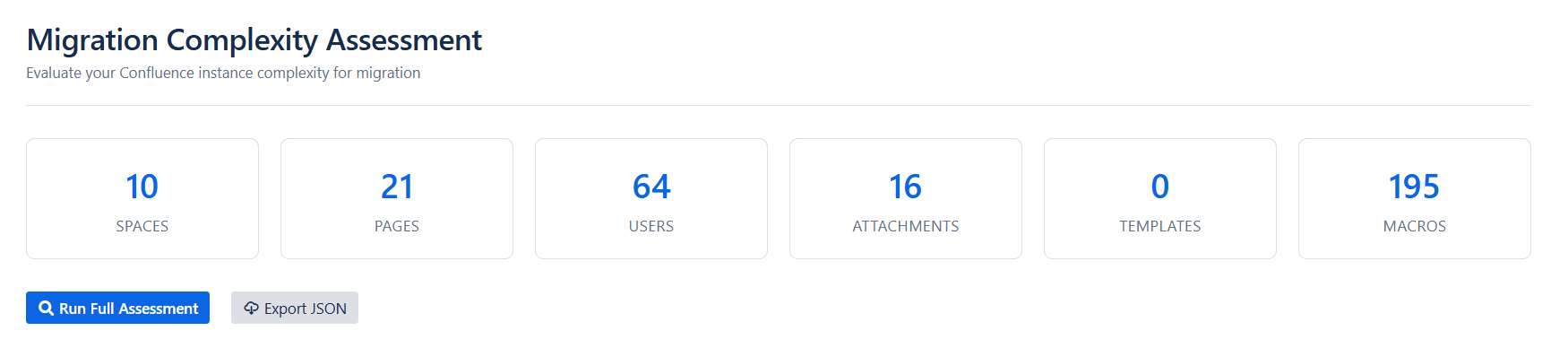
To run a more thorough assessment, select Run Full Assessment.
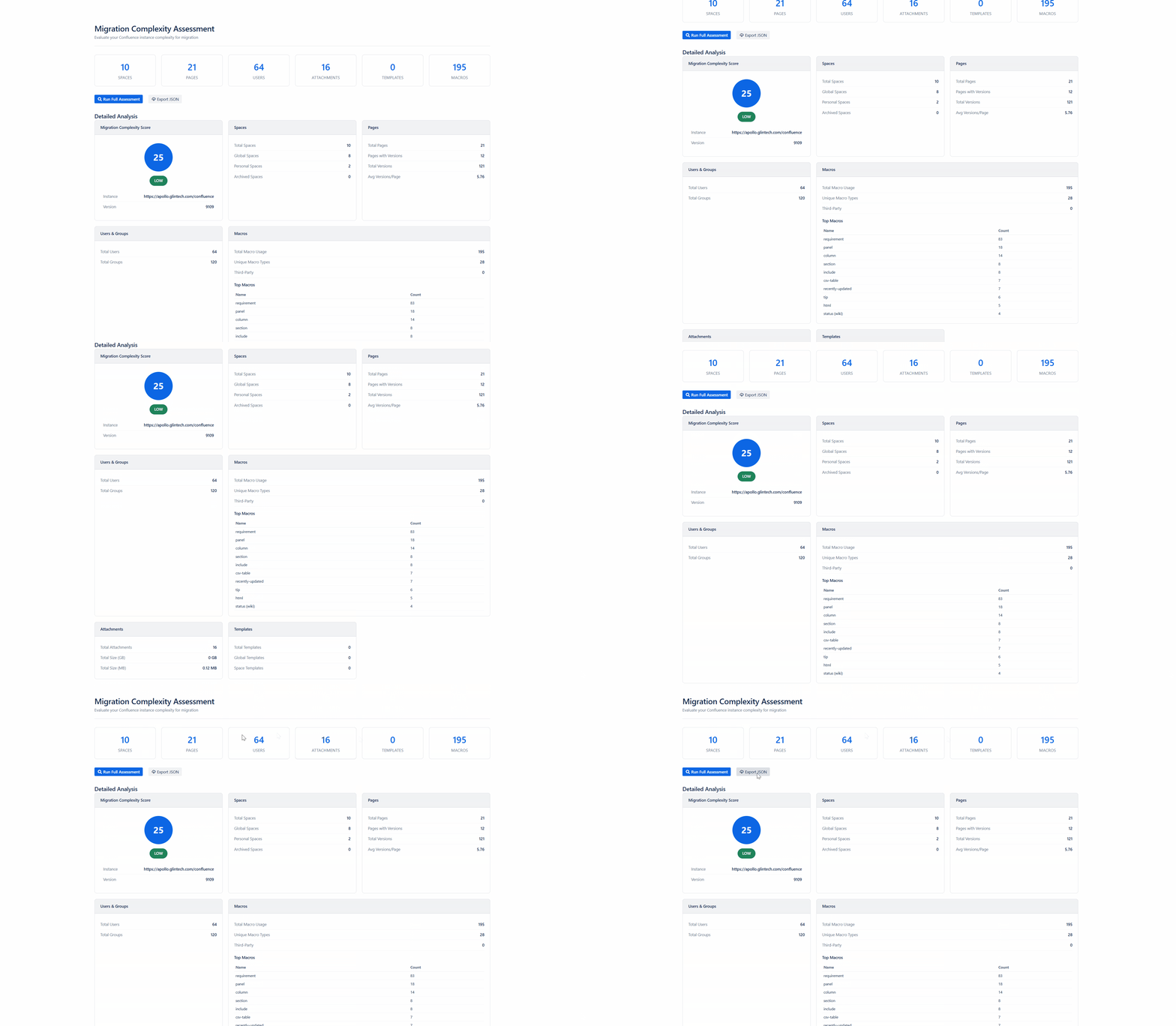
Once completed you will have a report similar to this:
If you would like further assistance with these results or help migrating to Cloud, please raise a support ticket on our service portal. The app is supported by GLiNTECH - a Valiantys Company.